Download the AppInGym application to your mobile phone from the Google Play Store or the App Store.
Launch the application and click the “Register” button at the bottom of the page to log into your profile.
Fill in the required information in the form that appears, then click the “Register” button.
After registration, you will receive an email with a confirmation code. Enter this code in the application and press the “Continue” button. This will activate your user account and allow you to log in to the application.
Come to the reception during reception opening hours (Monday: 09:00-20:45, Tuesday: 13:00-20:45, Wednesday: 10:00-17:45, Thursday: 09:00-20:45, Friday: 09:00-20:45)
with your ID card and address card so that we can verify the information you provided for your account. In the “Profile” menu, click the button next to your name and upload a profile picture of yourself (your face should be clearly visible, without sunglasses or a hat). If everything is in order, our colleague will check and approve your account. It is important that if you change your profile information or picture, the account will become unchecked again and will require verification again.
If your account is verified and you have a valid ticket/pass, a door handle icon will appear in the top right corner of the app. Go to the entrance door of the hall and tap this icon. It is important that an active internet connection and location are required for the door opening function. To enter, use your own QR code in the app: scan the code at the turnstile, then enter the hall.
At the turnstile, scan the QR code in the app again to log out. At the entrance door, press the door opener button and exit the room. We provide free 2-hour parking in the AGORA Budapest underground garage for your workout (you can enter the parking lot either from the Árbóc utca underpass or from the Esztergom út entrance). Park anywhere on level -1, then look for the red section, where you can take the elevator (opposite the car wash) to level 0. Opposite the elevator, you will find the entrance to Appingym. You can validate your 2-hour free parking on the tablet at the reception desk at the end of your workout.
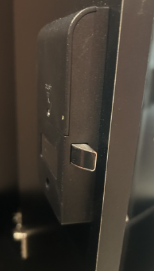
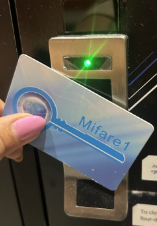
To lock the lockers, take a magnetic card from the storage provided at the reception desk and follow the steps below:
Our gym is open NON-STOP, BUT only for our guests with verified accounts. To verify your account, please visit our reception at the following times:
Monday: 09:00-20:45
Tuesday: 13:00-20:45
Wednesday: 10:00-17:45
Thursday: 09:00-20:45
Friday: 09:00-20:45
There is no reception on weekends and holidays.
AppInGym Support